Skip to content

FOR LANDSCAPING & LAWN CARE

Your next job
could be in
the details.

Win more work from the properties you already service. Capture what needs attention, keep opportunities on the record, and show customers why the work matters.

See how it works

$5/month per company · Unlimited crew members

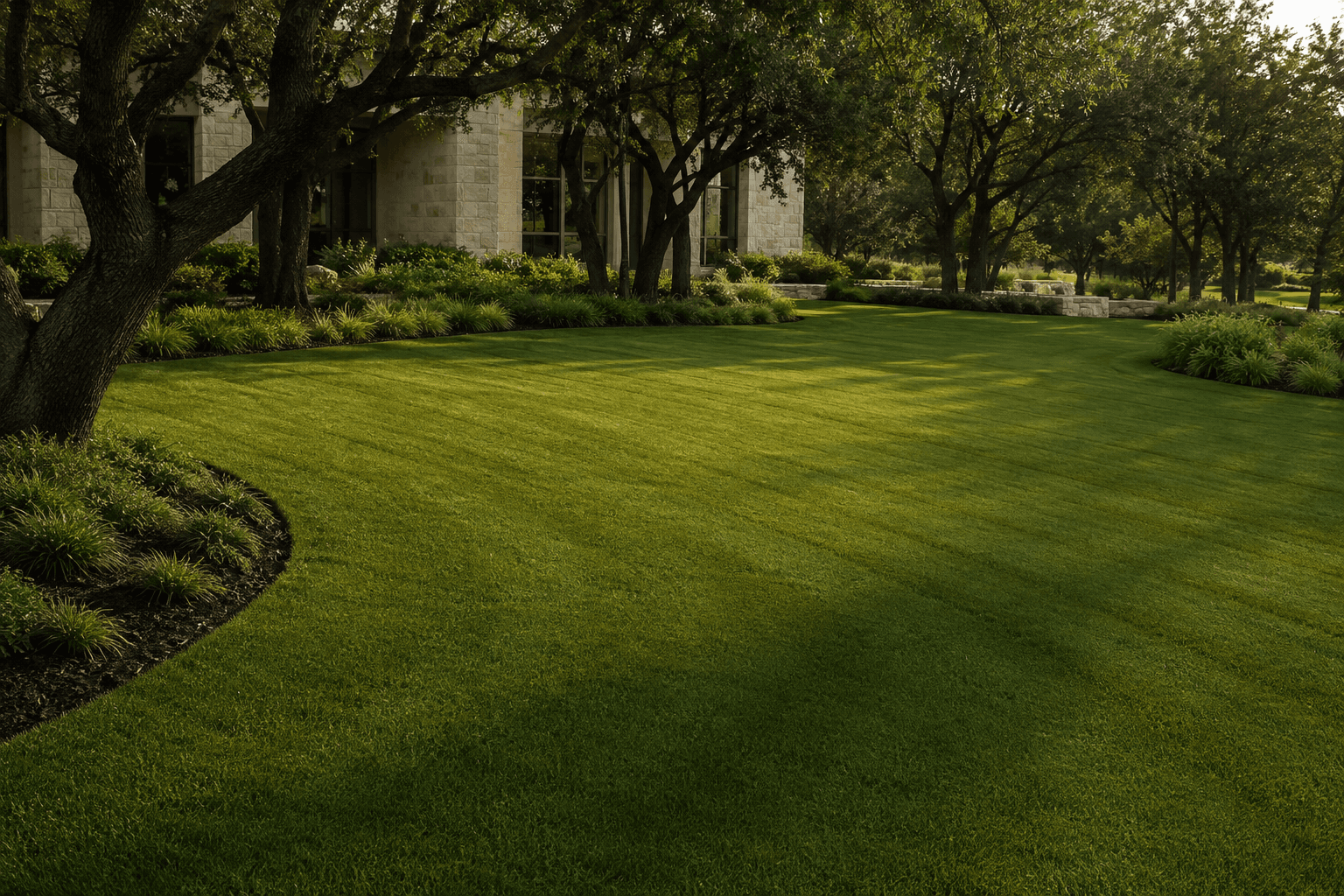
Carefully edged landscape beds and a freshly mown lawn
MORE TO EVERY PROPERTY.
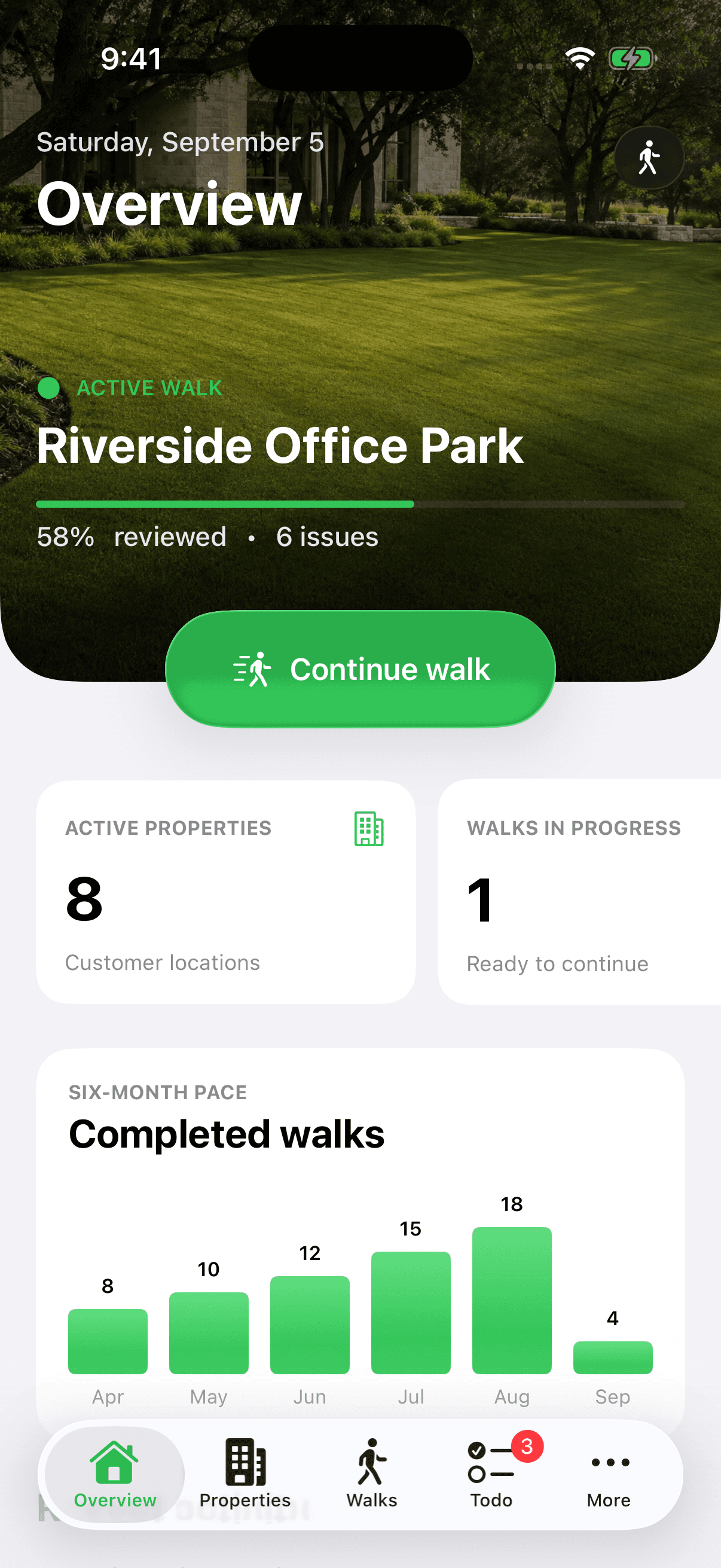
LawnNotes iPhone overview with an active property walk, eight properties, and populated walk history
AN OPPORTUNITY, ON RECORDFresh mulch. Next visit.Front entrance · Landscape beds
App shown with demo data
Built for iPhone Offline capture in the field Connected web workspace

DON’T LEAVE IT TO MEMORY

Missed opportunities.
Missed revenue.

You noticed it. You meant to mention it. Then the next property, phone call, and crew question took over.

A forgotten detail can become a job you never quote. Keep the recommendation on record so potential revenue doesn’t slip away with it.

EXAMPLE JOB VALUES

01

The bed that needs
a fresh layer of mulch.

$500potential revenue
02

The irrigation repair
you meant to flag.

$250potential revenue
03

The seasonal upgrade
worth bringing up again.

$1,000potential revenue

Illustrative job values. Actual scope and pricing vary.

Keep it in LawnNotes. Bring it to the next conversation.

OUR STORY

Built by a landscaper.
For landscapers.

Walkthroughs and estimates move fast. You notice an irrigation repair, an overgrown bed, or a seasonal upgrade—but if it isn’t captured in the moment, it can be forgotten when it’s time to build the estimate. The recommendation never reaches the customer, and a potential job slips away.

As the owner of The Grounds Guys of Amarillo, I wanted a simple app built specifically for walkthroughs and estimates. So I built LawnNotes: one place to capture photos, measurements, notes, and recommendations while you’re still on the property.

Whether you have multiple crews or you’re an owner-operator, LawnNotes helps make sure what you notice on site makes it into the quote.

Owner, The Grounds Guys of Amarillo

Photo coming soon
AMARILLO, TEXAS

EVERYTHING IN ONE PLACE

Every feature built to
maximize revenue

Capture more of what you see, keep the next step moving, and turn field details into work you can quote.

  1. 01Property Walks
  2. 02Property Records
  3. 03Walk History
  4. 04Custom Checklists
  5. 05Named Areas
  6. 06Issue Tracking
  7. 07Quick Capture
  8. 08Field Notes
  9. 09Photo Capture
  10. 10Video Capture
  11. 11Dual Camera
  12. 12Video Narration
  13. 13Photo Markup
  14. 14AR Measurements
  15. 15Manual Measurements
  16. 16Material Calculator
  17. 17Media Captions
  18. 18Media Tags
  19. 19GPS Metadata
  20. 20Crew Comments
  21. 21Team Mentions
  22. 22Follow-up Todos
  23. 23Team Workspaces
  24. 24Crew Roles
  25. 25Customer Reports
  26. 26Internal Reports
  27. 27Report Previews
  28. 28Share Links
  29. 29Version History
  30. 30Visibility Controls
  31. 31Offline Capture
  32. 32Cloud Sync
  33. 33Web Workspace
  34. 34Light Mode
  35. 35Dark Mode

FROM “I NOTICED” TO “LET’S DO IT”

A better walk.
A better conversation.

A simple way to turn what you see on site into something your crew and customers can act on.

IN THE FIELD

See it. Save it. Keep the opportunity.

Fresh mulch. A failing shrub. An irrigation head spraying the sidewalk. Capture the issue, photos, and your recommendation while you’re standing in front of it.

Every finding stays connected to the property, ready to revisit when the time is right.

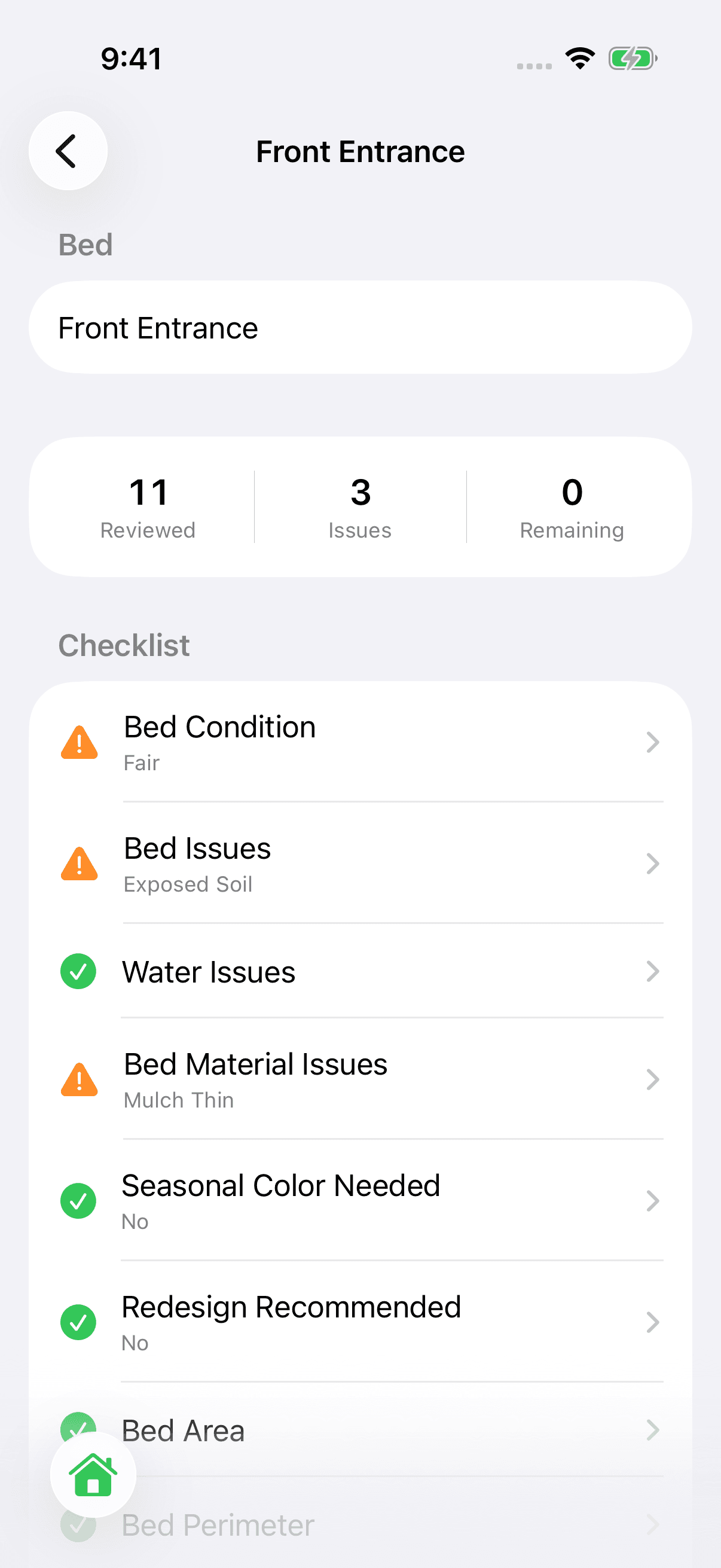
Current LawnNotes iPhone checklist for the Front Entrance bed, with recorded conditions and issues

Document each bed, down to the details.Actual app · Demo data

MADE FOR THE WAY YOU WORK

In the field.
In your corner.

Useful details, in one place. From the first walk to the next visit.

A second set of eyes
for every property.

16 landscaping categories. 150 optional checklist items. Give your crew prompts to catch the details that routine work can miss.

Turf & lawn health01
Irrigation02
Landscape beds03
Trees & shrubs04
Customize the checklist to fit your services.

No signal? Keep walking.

Capture fieldwork on your iPhone, even offline. It saves on your device and syncs when you’re connected again.

Measure while you’re there.

Save measurements and calculate cubic yards for bed and mulch work. Bring the details back with you.

The whole property story.

Keep previous walks, photos, notes, and individual landscape beds together. Pick up the conversation where you left off.

LIGHT & DARK MODE

Every detail.
In a different light.

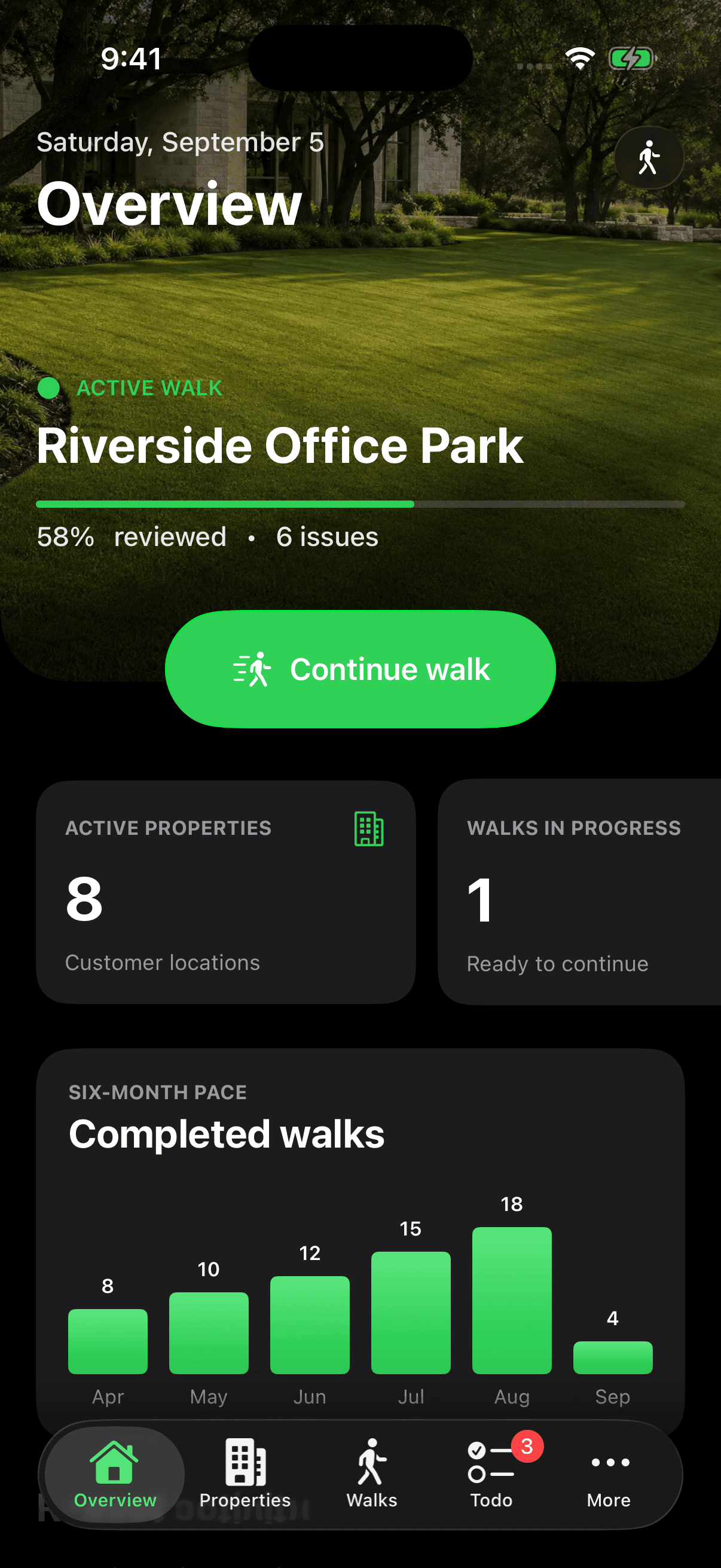
Early starts. Late finishes. LawnNotes feels right at home with light and dark appearances that follow your iPhone.

Same fieldwork. Your preferred view.
LIGHT
LawnNotes overview in light mode with pale surfaces and green controls
DARK
LawnNotes overview in dark mode with black backgrounds, dark gray cards, and bright green controls
Actual iPhone app · Demo data

YOUR CONNECTED WEB WORKSPACE

Walk the property.
Bring it back to the office.

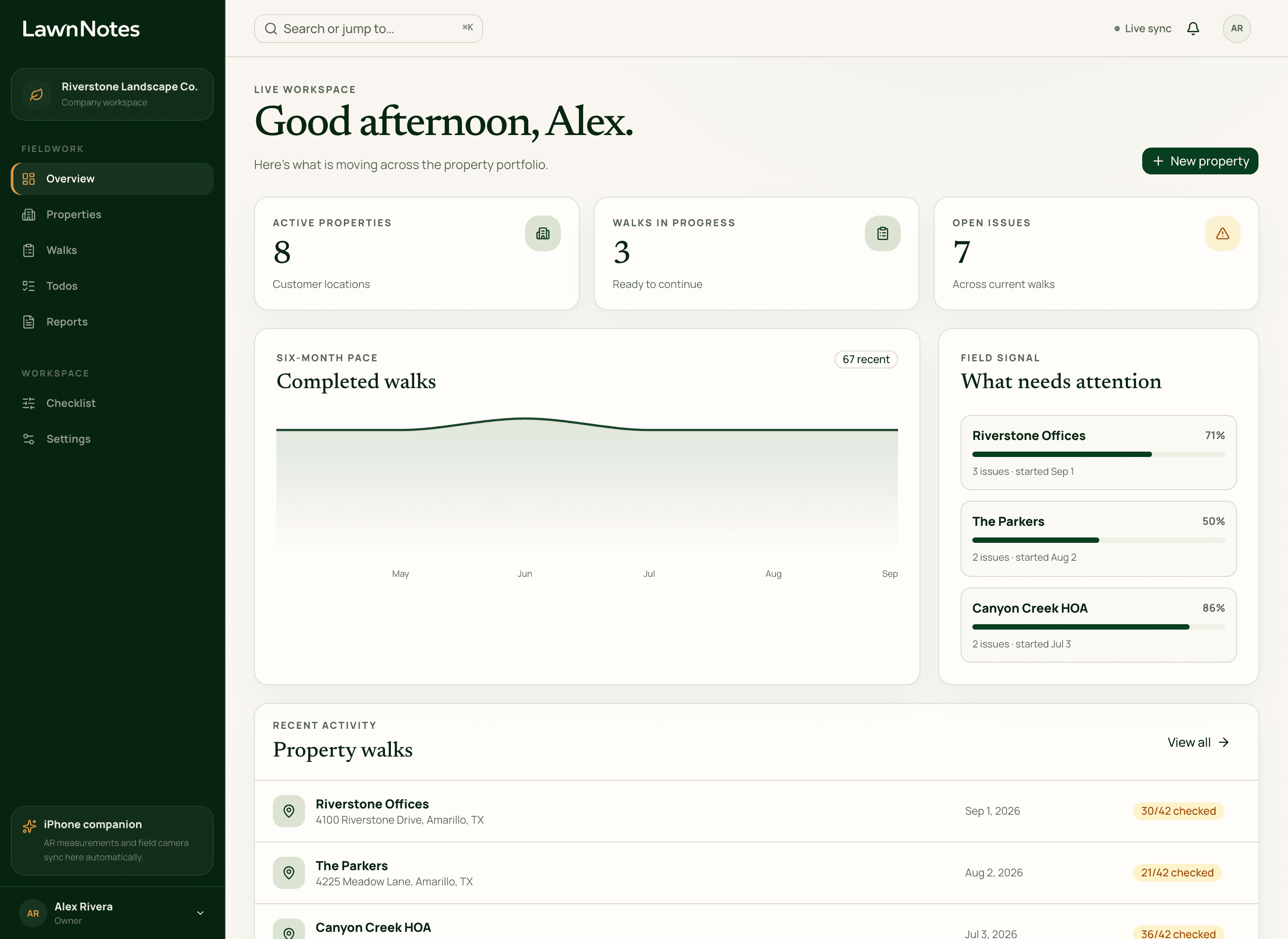
Open LawnNotes on a bigger screen. Review properties, see the walks in progress, and find the issues that need a follow-up. The details you captured in the field stay with the work.

app.lawnnotes.com
LawnNotes web overview showing eight properties, three active walks, seven open issues, and a completed-walk chart
Actual web app · Demo dataOpen your web workspace

SMALL PRICE. USEFUL EVERY DAY.

For the details
worth keeping.

Your crew already notices the opportunities. Give them a place to record the details, keep the follow-up moving, and make the next customer conversation count.

1 Download the iPhone app2 Create your account3 Subscribe in the app
LawnNotesFor landscaping & lawn care
$5
/ monthPer company. Unlimited crew members.
  • Unlimited crew members
  • Property walks, photos & notes
  • Customizable landscaping checklists
  • Crew mentions & follow-up todos
  • Measurements & material calculations
  • Shareable customer reports
  • Offline iPhone capture + web workspace

Download, sign up, and subscribe in the iPhone app.
App Store link coming soon.

A FEW MORE DETAILS

Good questions.
Clear answers.

Visit support
How do I get started?

Download LawnNotes on your iPhone, create your account, and subscribe in the app for $5/month per company, with unlimited crew members. The App Store download link will be available here at launch. Once you’ve signed up, you can also log in to the web workspace.

Does it work without cell service?

Yes. The iPhone app saves your fieldwork on the device and syncs when a connection returns. Publishing and sharing a new customer report require an internet connection.

Do my customers need the app?

No. Customers open shared reports in their browser. They can view photos and play videos without creating an account or installing an app.

Do we have to complete every checklist item?

No. All 150 checklist items are optional. Customize the categories and questions to match your company’s services, properties, and standards.

Can we keep internal notes out of customer reports?

Yes. Choose whether checklist notes appear in customer reports and which photos and videos customers can see. Internal reports keep the full field record available to your team.

Can I use LawnNotes in the office?

Yes. Your connected web workspace lets you review properties, active walks, and open issues from a desktop or mobile browser. Field capture runs in the iPhone app, which requires iOS 26 or later.

Notice more.
Make it count.

Your next job may start with something you notice today.

$5/month per company · Unlimited crew members